
(Case study)
INSPIX WORLD
UI/UX for a next-generation social metaverse platform
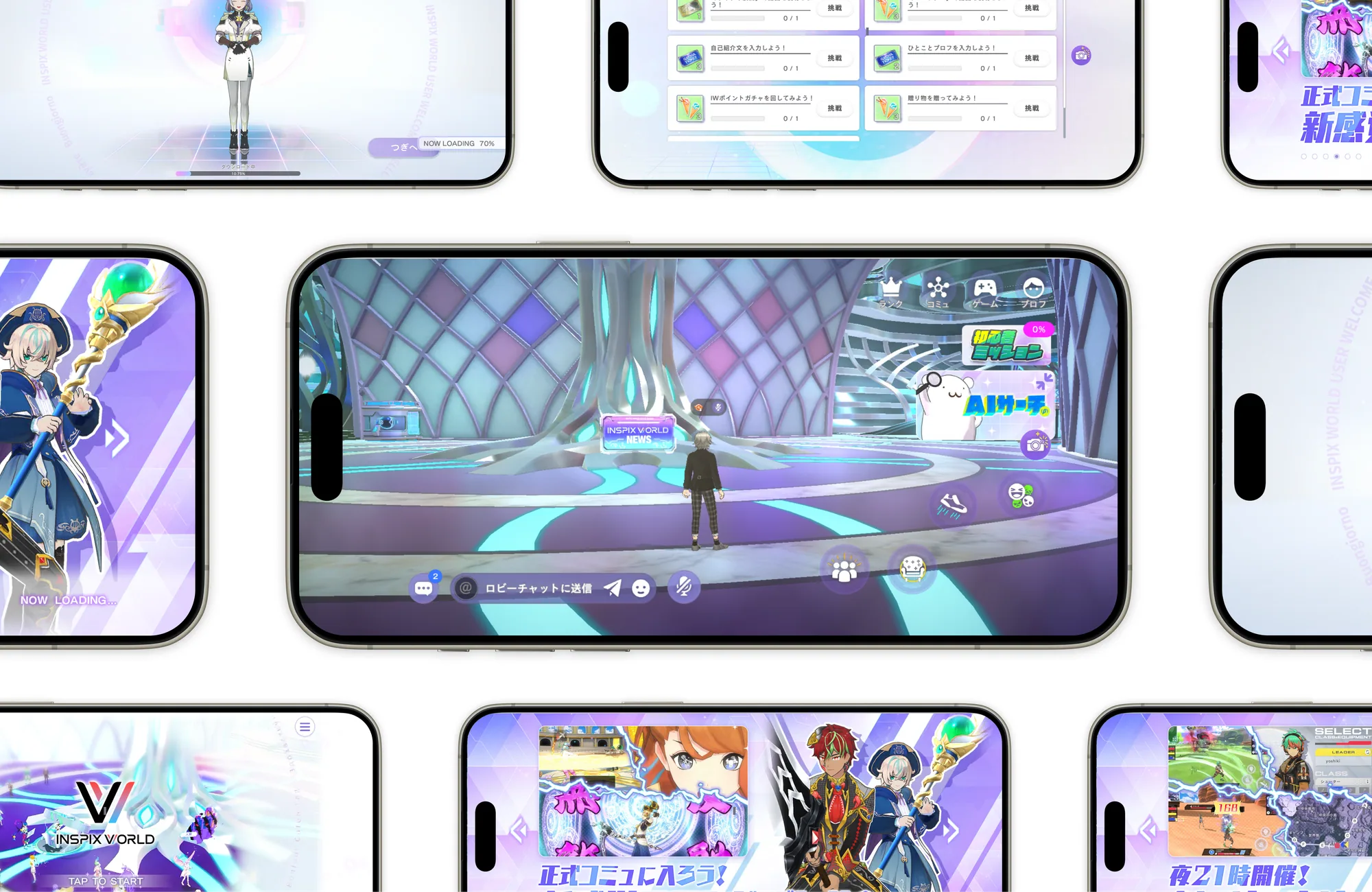
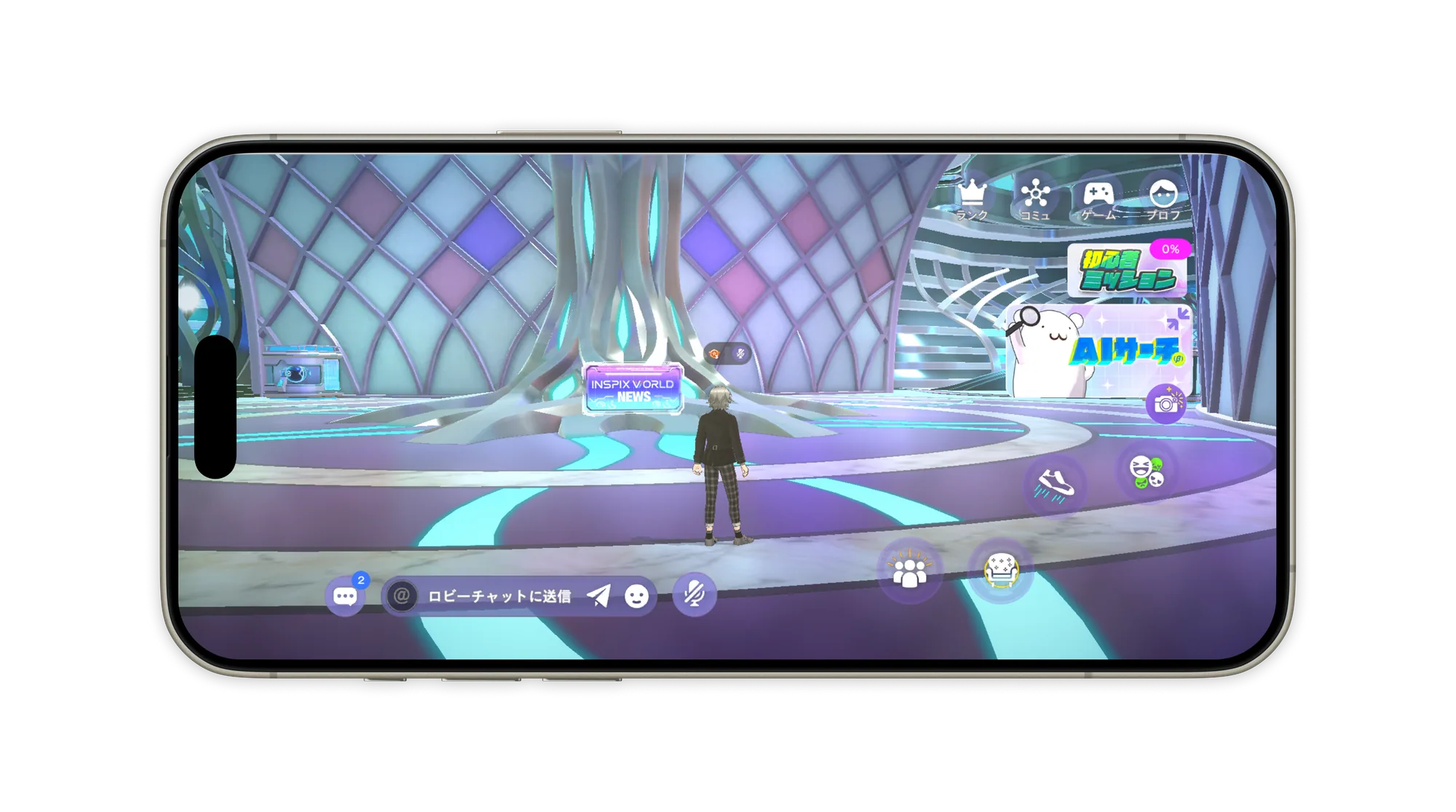
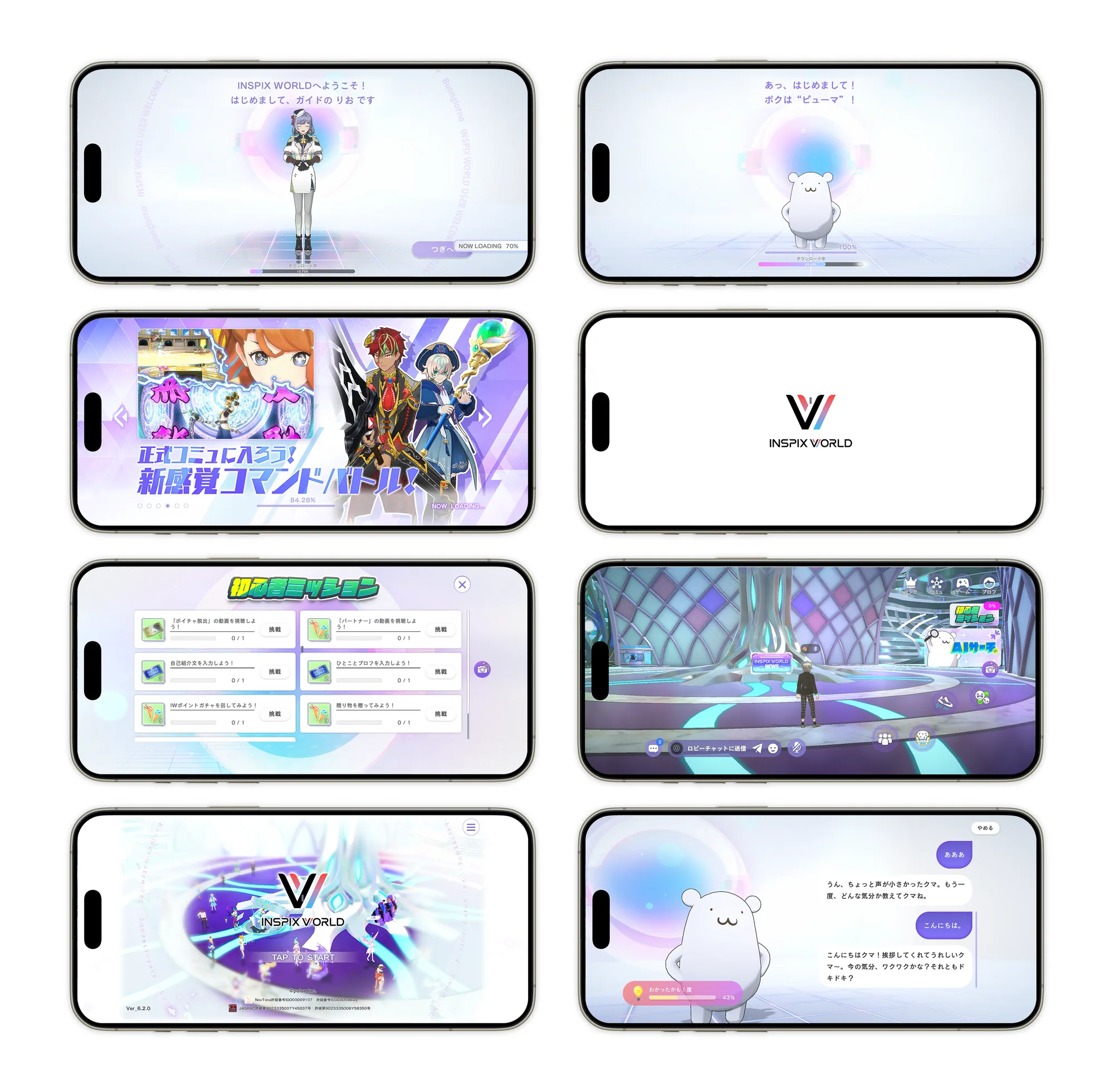
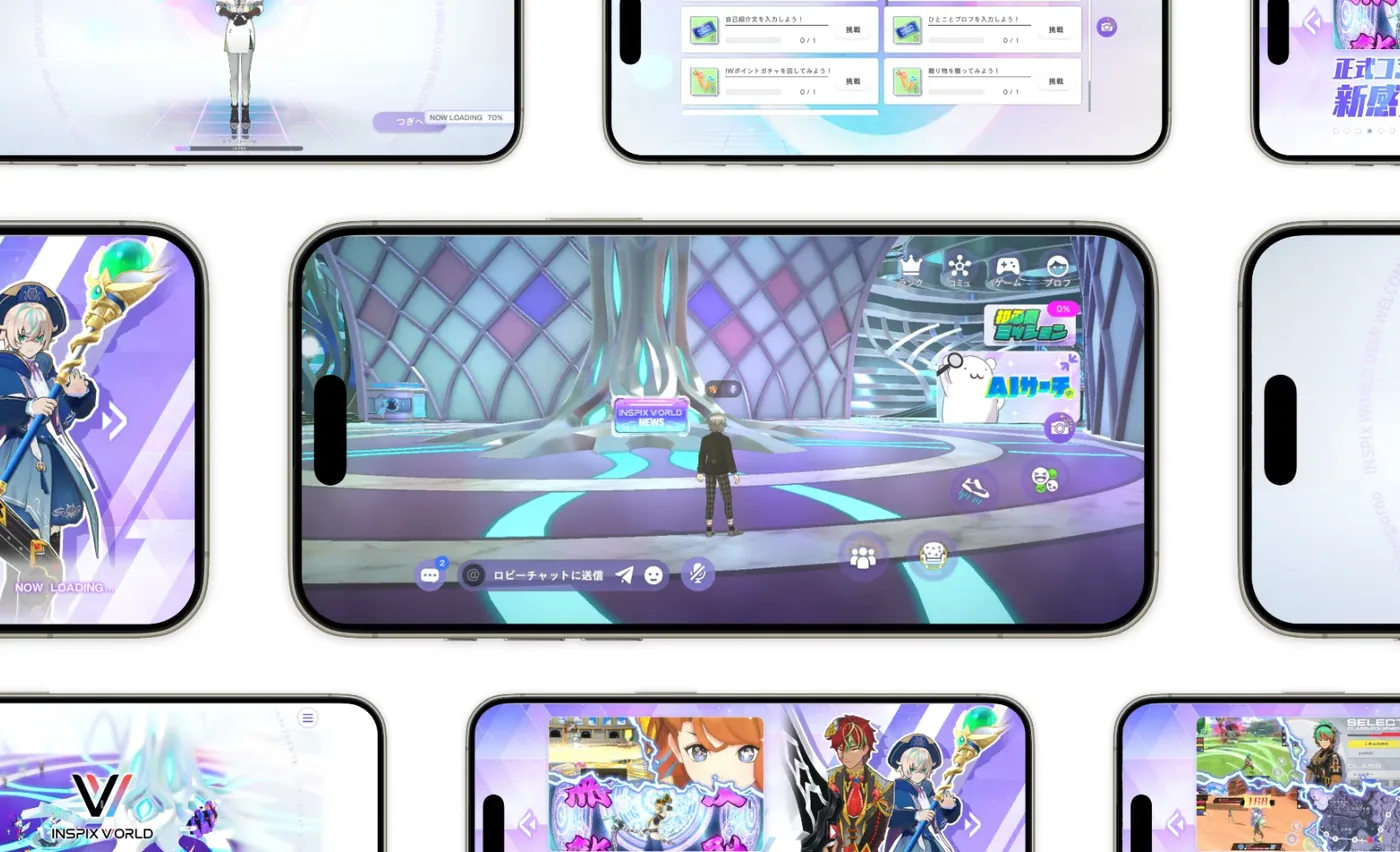
INSPIX WORLD is a next-generation social metaverse platform where users can enjoy voice chat and a variety of 3D party games through avatars they create.
In this project, we comprehensively improved the UX/UI of INSPIX WORLD, raising the quality of the user experience and the product, and boosted the team’s production efficiency by establishing a Figma-based design process.
In addition to improving existing flows, we handled the new features being released from start to finish, from UX exploration and requirements organization at the planning stage through to screen design.
Outcomes
UI Redesign
Improved legibility and ease of operation
Improved Key User Flows
Organized the UX of the key user flows
Process Improvements
Introduced Figma into the design process and created design guidelines, reducing production costs
Challenges
1. UX Challenge — A Flow Structure Users Easily Get Lost In
- Access to key features was complicated, so users easily got lost
- Basic usability design was not ensured, which placed a burden on users
2. UI Challenge — Lack of Consistency and Legibility
- Components were not unified, weakening consistency across the platform
- UI rules such as icons and layout were ambiguous
- Information density was high, making many screens hard to read
3. Process Challenge
- Photoshop was the only design software in use, which made collaboration between designers and the development team difficult and sharing time-consuming
- No design system existed, making it hard to deliver a consistent design
Solution
1. UX Design: Optimizing User Flows
-
Streamlining navigation
We organized access to key features, such as community and game selection, into a hierarchy and achieved consistent interaction logic across all screens.
Beyond optimizing existing flows, we also handled UX design from the planning stage for the new features that were added on an ongoing basis. By proposing flows and structures grounded in an understanding of users, we consistently maintained the quality of the experience in every update. -
Usability improvements
By rigorously applying appropriately sized touch targets, element placement designed for one-handed use, and highly legible information design, we built a foundation that lets users enjoy the complex experience of a metaverse on mobile without frustration.
2. UI Design
UI Redesign
We progressively redesigned the existing UI into a modern, refined design in line with the latest trends and user preferences.
While strengthening the immersion of the 3D metaverse, we improved its visual appeal and helped refresh the product’s brand image.
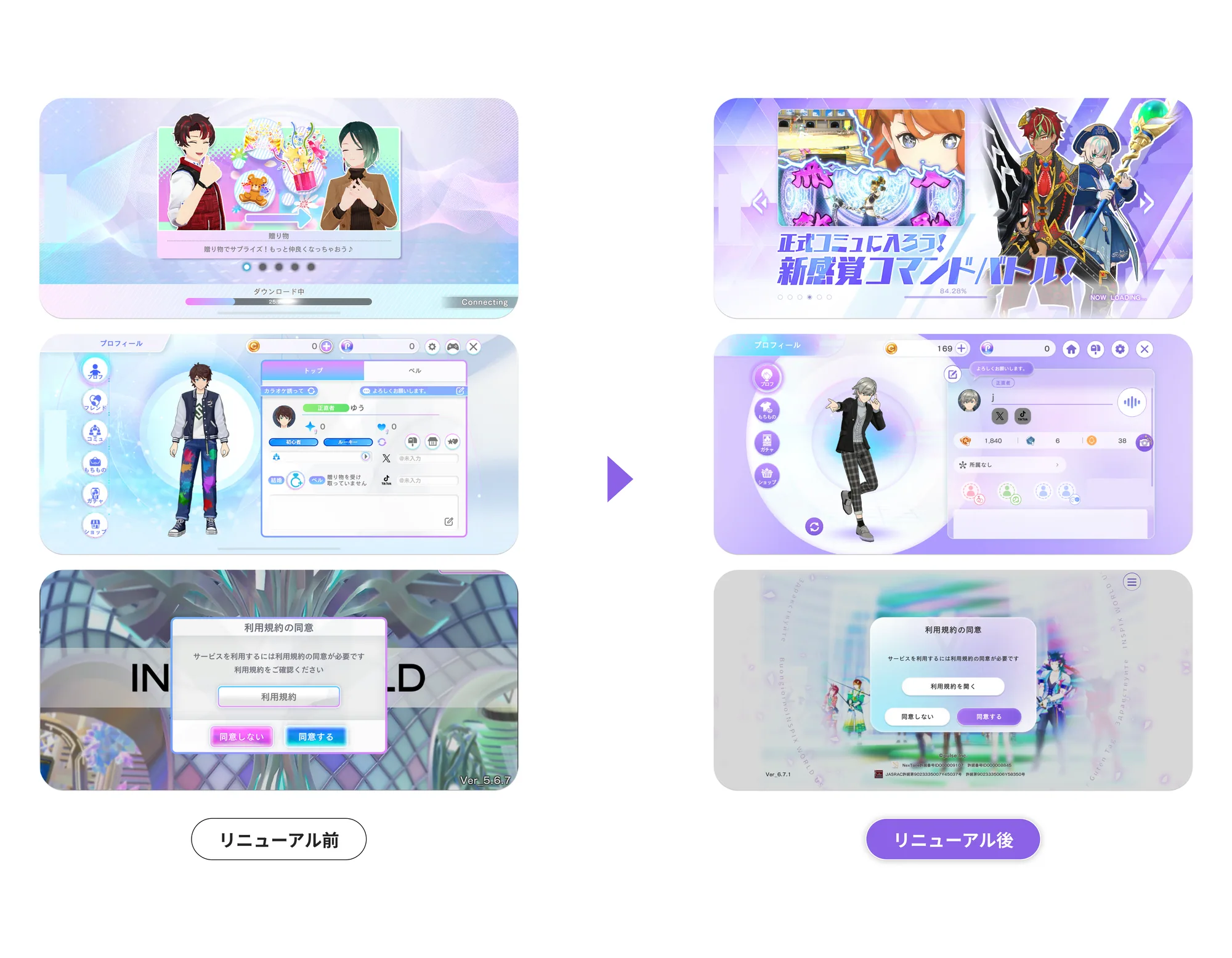
Introducing and Standardizing Mobile UI Design Methods
We identified that, in the existing design process, usability principles and accessibility specific to mobile apps were not being applied sufficiently.
By incorporating standard mobile OS UI/UX methods, such as the Human Interface Guidelines and Material Design, into our design work, we overhauled the platform’s UI guidelines.
3. Design Process Reform: Actively Adopting Figma
Driving the Tool Migration
To strengthen collaboration among multiple designers and the development team, we unified our design platform on Figma. This enabled centralized management of design files and real-time collaboration.
Building a Design System
Using Figma, we built and operated a design system of UI components used across the entire platform. This established a setup that can quickly deliver consistent design quality: design that preserves the immersion of the 3D space while communicating information reliably.
Streamlining Collaboration with Development
Through Figma’s prototyping and Inspect features, we established a flow for sharing design intent accurately and quickly with the planning and development teams. This contributed to fewer reworks between design and implementation and faster development.
Results
User Experience
- Improved UI consistency lowered cognitive load and reduced operation errors in games
Team
- Reduced dependence on individual designers
- Substantially improved work efficiency in Figma, with smoother collaboration
- Fewer discrepancies between designers and engineers
Overall Product
- Improved UI quality
- Established a framework built for long-term operation, reducing the cost of revisions
Role
- Identifying UX challenges
- UX exploration for new features (requirements organization at the planning stage, user flow creation, UI drafts)
- UI redesign
- Figma structure improvements / guideline design
- Reviewing designers’ deliverables